# Burst Protector

## Overview

Smart Pulse optimizes your Snowflake warehouses by right-sizing them according to a schedule. However, downsizing introduces a risk: sudden spikes in query volume can overwhelm the reduced capacity, causing queries to queue up and degrade performance.

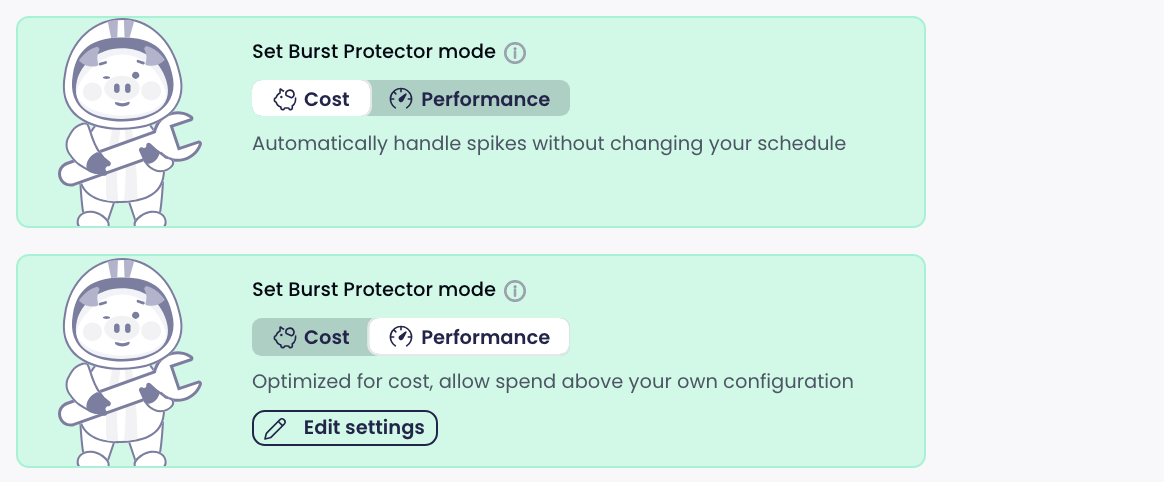
**Burst Protector is a safety net** that automatically and temporarily reverses Smart Pulse's downsizing when sustained query queue pressure is detected. Once the pressure subsides, it scales back down to the optimized configuration.

{% hint style="info" %}
Scaling is always capped by the original (pre-optimization) cost — the system never scales beyond what you were already paying for.
{% endhint %}

***

## How to enable

Navigate to a warehouse details page, then **Configuration Settings > Schedule**. Toggle the **"Query Burst Protector"** switch.

<figure><img src="https://3620459840-files.gitbook.io/~/files/v0/b/gitbook-x-prod.appspot.com/o/spaces%2FnSbIoBjUxWTGNWa9gGw7%2Fuploads%2Fgit-blob-05c15fcf48b1031ba18bfa5b3f1244da0a14356a%2Fburst-protector-activation.png?alt=media" alt=""><figcaption><p>Toggle switch to enable Burst Protector per warehouse</p></figcaption></figure>

### Prerequisites

* The warehouse must have an **active Smart Pulse schedule** with at least one activated config type (e.g., vertical sizing).

***

## Sampling interval

When you enable Burst Protector, you can configure the **sampling interval** -- how frequently the system checks for queued queries. The available options range from **5 seconds to 60 seconds** (in 5-second increments), with a default of **15 seconds**.

Burst detection uses **three consecutive samples**, so the total time before a scale-up is triggered equals three times the sampling interval. For example:

| Sampling interval | Time before scale-up |
| ----------------- | -------------------- |
| 5 sec             | \~15 seconds         |
| 15 sec (default)  | \~45 seconds         |
| 30 sec            | \~90 seconds         |
| 60 sec            | \~180 seconds        |

{% hint style="info" %}
A shorter interval means faster reaction to bursts but more frequent checks. A longer interval is more conservative and avoids reacting to very brief spikes.
{% endhint %}

***

## How it works

Burst Protector continuously monitors your warehouses and detects bursts based on the number of queued queries versus the warehouse's concurrency capacity.

### Burst detection

A burst is detected when **queued queries exceed the warehouse's concurrency capacity**. The system requires **3 consecutive detections** before triggering a scale-up, preventing unnecessary reactions to brief spikes. The time between each detection is determined by your configured [sampling interval](#sampling-interval).

### Scale-up

When a sustained burst is confirmed:

* The warehouse is scaled up to handle the additional load.
* After each scale-up, the burst counter resets to enforce a new cooldown period before further scaling.

### Scale-down

When no burst is detected and the warehouse was previously scaled up:

* The system automatically scales back down toward the optimized (recommended) configuration.

***

## Scaling modes

Burst Protector adapts its behavior based on your Snowflake edition:

| Mode                            | Scale-up action                    | Scale-down action            | Cost cap                                        |
| ------------------------------- | ---------------------------------- | ---------------------------- | ----------------------------------------------- |
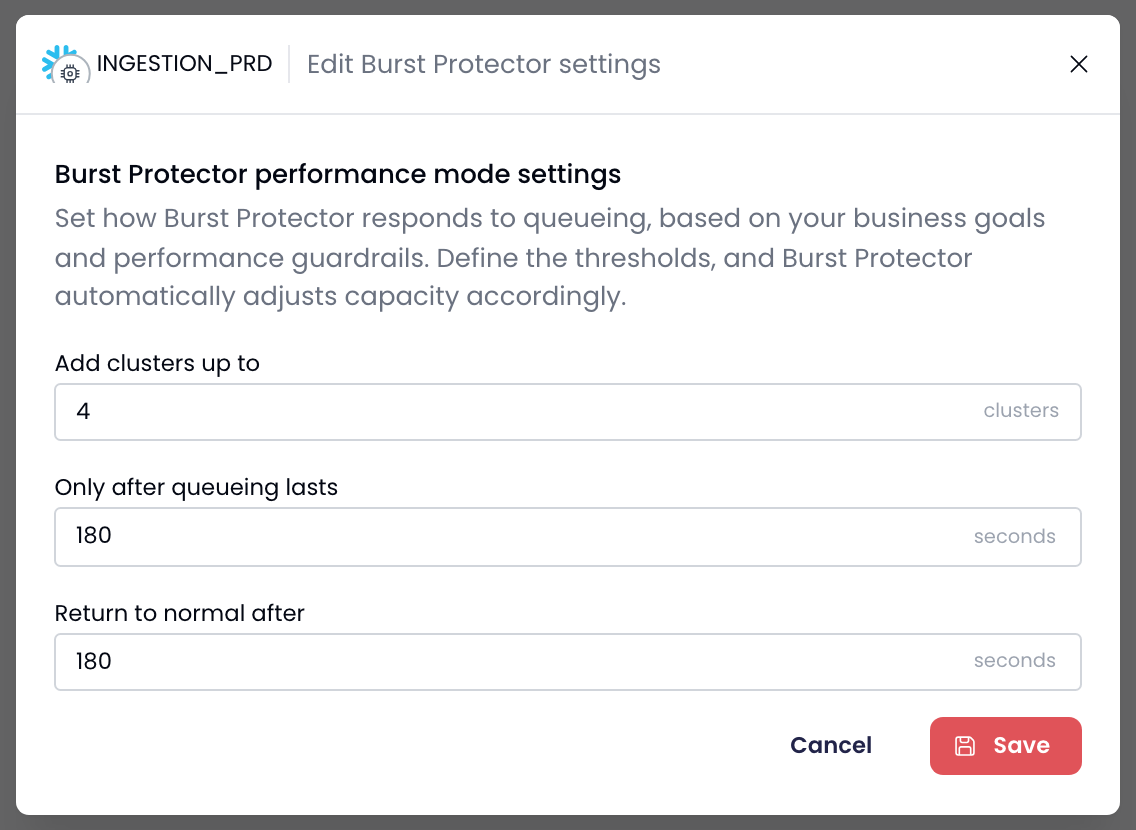
| **Multi-cluster** (Enterprise+) | Increase cluster count by 1        | Decrease cluster count by 1  | Capped at equivalent compute of original config |
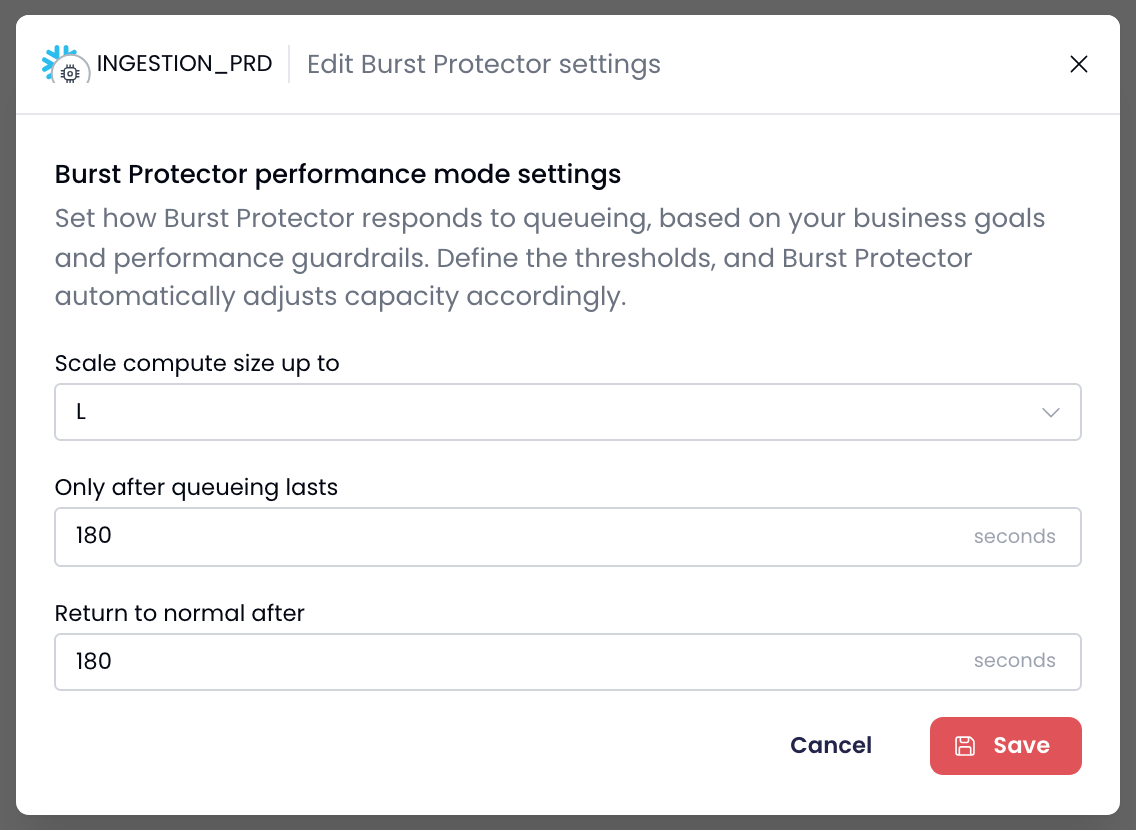
| **Single-cluster** (Standard)   | Restore to original warehouse size | Set back to recommended size | Never exceeds original size                     |

### Cost cap guarantee

The maximum capacity allowed is calculated so total compute never exceeds what the original (pre-optimization) configuration provided. For multi-cluster warehouses, this accounts for the size ratio (e.g., Large to Small = 4x) and generation differences, ensuring the total cluster capacity stays within the original cost envelope.

***

## Monitoring

### Slack notifications

Burst Protector sends real-time notifications to your configured Slack channel with four event types:

<figure><img src="https://3620459840-files.gitbook.io/~/files/v0/b/gitbook-x-prod.appspot.com/o/spaces%2FnSbIoBjUxWTGNWa9gGw7%2Fuploads%2Fgit-blob-e0c675a4a98aa0b0b498bcaabd3781a19aae2467%2Fburst-protector-slack.png?alt=media" alt=""><figcaption><p>Slack notification example showing burst protector activity</p></figcaption></figure>

| Event            | When                                   |
| ---------------- | -------------------------------------- |
| **Activated**    | First scale-up triggered               |
| **Scaling Up**   | Additional scale-up step               |
| **Scaling Down** | Scaling back toward recommended config |
| **Resolved**     | Fully returned to recommended state    |

Each notification includes the warehouse name, action details (cluster count or size change), the default state, a UTC timestamp, and a link to the warehouse in Seemore.

### Change log

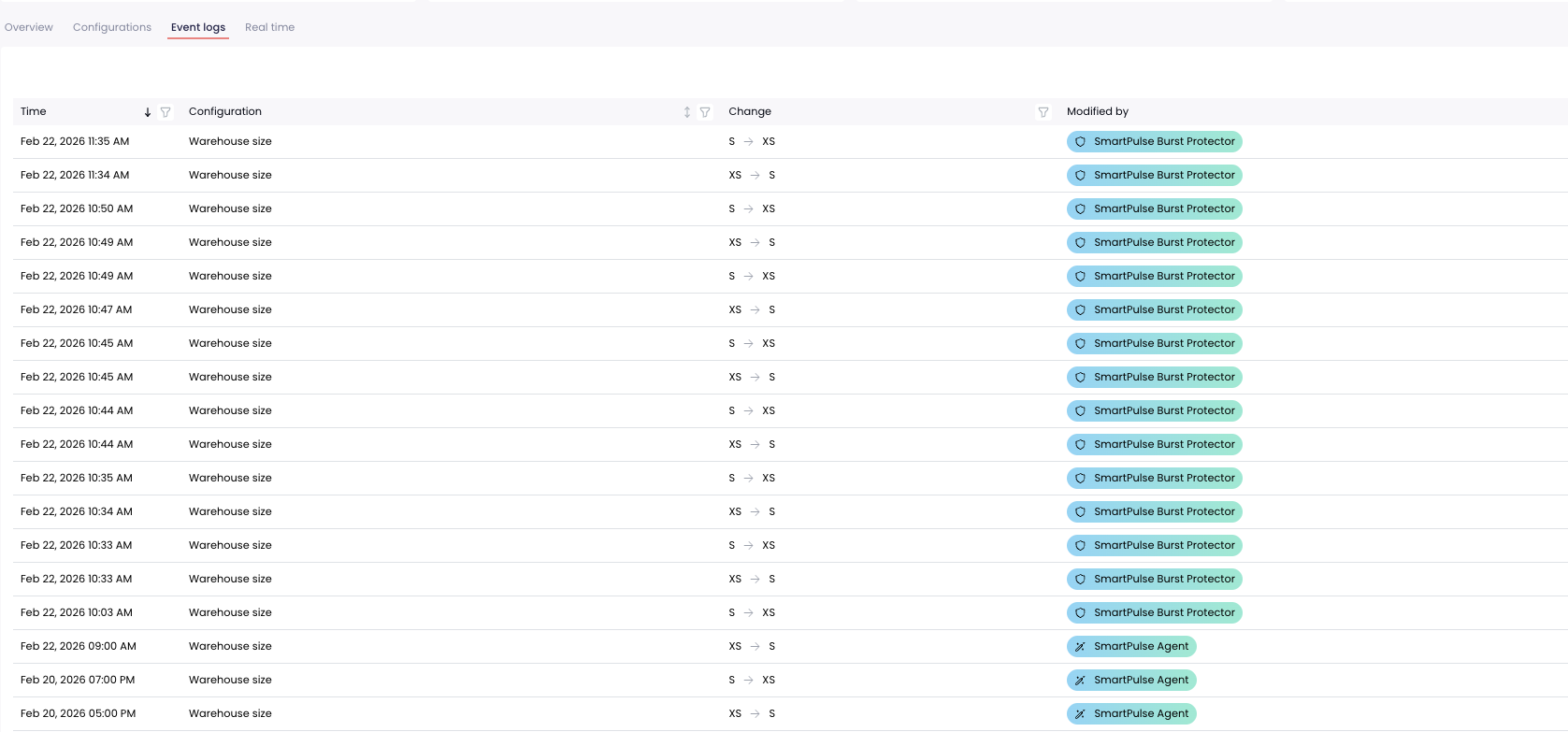
Burst Protector actions appear in the warehouse change log with a dedicated **"SmartPulse Burst Protector"** badge, so you can easily distinguish automated burst responses from other changes.

<figure><img src="https://3620459840-files.gitbook.io/~/files/v0/b/gitbook-x-prod.appspot.com/o/spaces%2FnSbIoBjUxWTGNWa9gGw7%2Fuploads%2Fgit-blob-1b919a35823025d770a63ad6a06cf5eb11cbfeb0%2Fburst-protector-changelog.png?alt=media" alt=""><figcaption><p>Change log entries showing Burst Protector actions</p></figcaption></figure>

### Real-time stats

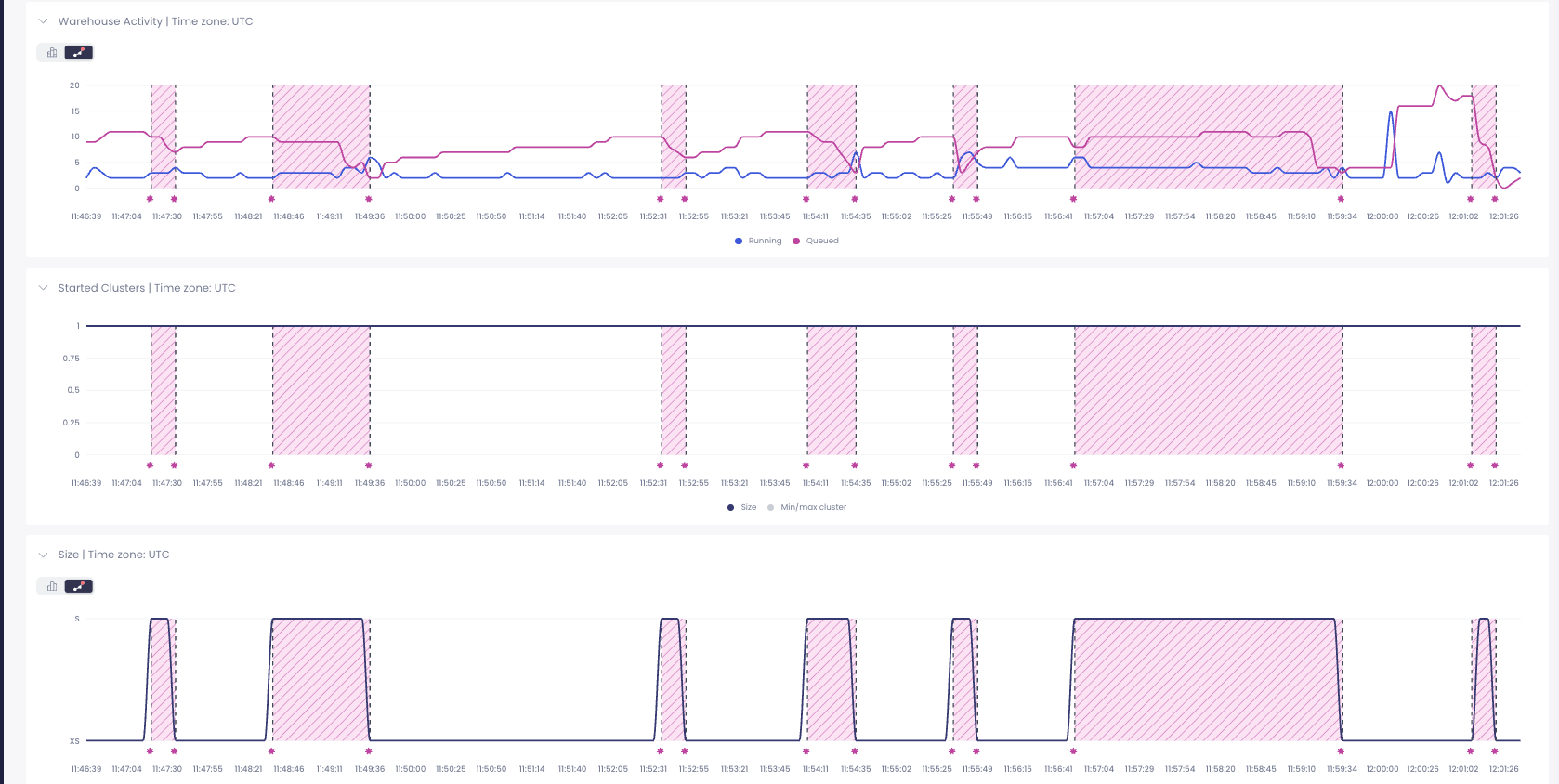
Burst Protector activity is also visible in the warehouse's real-time stats view, giving you immediate visibility into active burst responses.

<figure><img src="https://3620459840-files.gitbook.io/~/files/v0/b/gitbook-x-prod.appspot.com/o/spaces%2FnSbIoBjUxWTGNWa9gGw7%2Fuploads%2Fgit-blob-38d203da38c4eefbe0fde4fd974d58cdf3938c1f%2Fburst-protector-realtime.png?alt=media" alt=""><figcaption><p>Real-time stats showing burst protector indicator</p></figcaption></figure>

***

## FAQ

#### Does Burst Protector cost extra?

No. Burst Protector is included with Smart Pulse. The scaling it performs is always capped at your original warehouse cost, so you never pay more than you were paying before Smart Pulse optimization.

#### Can I use Burst Protector without Smart Pulse?

No. Burst Protector requires an active Smart Pulse schedule because it works by temporarily reversing Smart Pulse's optimizations when bursts are detected.

#### How quickly does Burst Protector react?

That depends on the sampling interval you configure. With the default 15-second interval, a scale-up is triggered after 3 consecutive detections (\~45 seconds of sustained pressure). You can lower the interval to 5 seconds for faster reactions (\~15 seconds), or increase it up to 60 seconds for a more conservative approach. See [Sampling interval](#sampling-interval) for details.

#### What if my warehouse is not running?

Burst Protector only monitors warehouses that are currently running. Suspended or idle warehouses are not affected.

#### Can Burst Protector scale my warehouse beyond its original size?

No. The cost cap guarantee ensures that the total compute capacity never exceeds the original (pre-optimization) configuration.